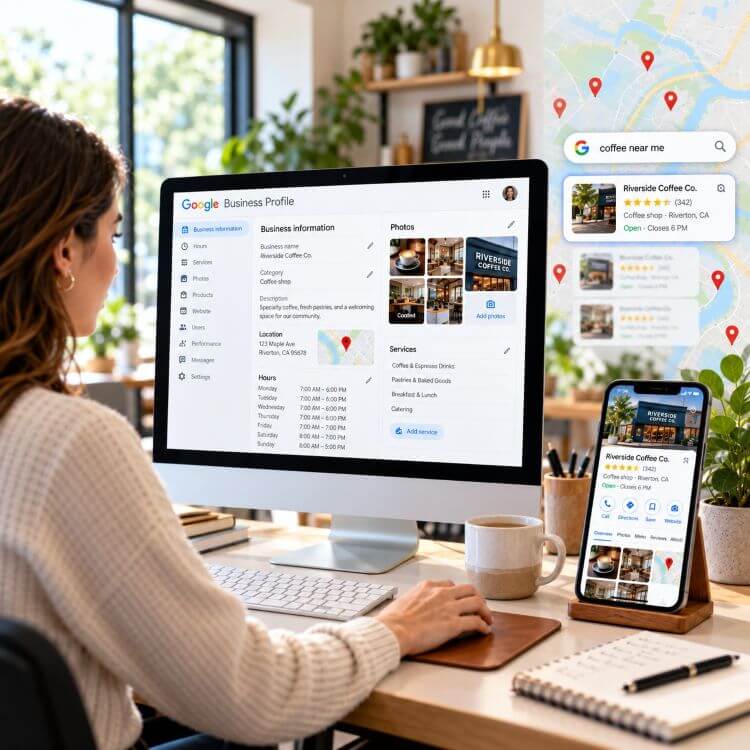
Most businesses don’t use the Google Business Profile (GBP) posts feature, and if they do, they post very infrequently and then wonder why their listing feels flat. Posts can do real work for you. They show up where buyers are already looking, and used right, they turn a passive listing into something that pulls in calls and clicks.
When someone searches your business name or a related term, your profile can display recent posts in the Search panel. On Google Maps, they appear in a small scrollable carousel inside your business panel. That Maps view matters a lot for local search, because the people scrolling it are often a few blocks away and if they find a post that interests them, you might get a phone call.
Are Google Business Profile Posts a Big Ranking Factor?
No really, but that doesn’t mean you shouldn’t do them. Posts are mostly an engagement and conversion tool, not a direct ranking factor. Regular posting won’t move you up the local pack the way your primary category or your reviews will. But consistent posting does signal to Google that your business is active, and it lifts your click-through-rate in the local panel, which is worth plenty on its own. Use posts to convert the attention you’re already getting.
The 3 Types of Posts
There are three types of GBP posts: Update, Offers, and Events. Update posts are the most common.
Update: this is the default, fine for general updates, but it expires after seven days. It stays archived on your profile, just not front and center.
Offers: promotions with a start and end date. These stay live until they expire, which is perfect when you want a message to stick around longer than a week.
Events: workshops, sales, community happenings. They run until the event date passes, so they outlast the standard seven days.
A post can run up to 1,500 characters; that’s roughly about 200 to 220 words. So, the first sentence has to carry everything. Put the update, offer, or event the reason to click on the post right up front.
How My Agency Does Posts
Every client and business is different, but the post strategy is basically the same.
- We sit down with the client and determine the top four services they want to target.
- We make sure those target services are on their GBP and they have their own separate page on the website.
- We then come up with a title for each post. This lets the reader and Google know what this post is about. For example, if the client is a plumber and they want to target “emergency plumbing services”, that will be the title of the post.
- Once we have the target keywords for the four posts, we write two posts for each topic. One post will be informational and the other will be promotional.
- We end up writing 8 posts for each topic 5 days a week; 20 posts a month. Since Google only keeps each post active for 7 days, we repeat the posts after the 2 versions have run. Why do we post five days a week? If the business type is in a large city with lots of competition we post 5 times a week. In a less competitive business posting 3 times a week might be sufficient.
- We use Claude AI to help write the posts. You could also use ChatGPT or Gemini. We then human-edit the posts. Here is just part of the AI prompt we use for posts:
“Write two distinct GBP update posts 1300 to 1500 characters. One should be educational and one promotional for the following keywords. Use a conversational tone that’s appropriate for an informed audience but not too technical. Incorporate current SEO best practices, focusing on local search engine optimization. Discuss how [business name] can best address the focus keywords. Mention landmarks and neighborhoods to add authenticity to [city]. Conclude a call-to-action encouraging readers to call, text or write [business name].”
Right now, Google doesn’t really care if your content is AI written. What they care about is the quality of the content. Are you creating content that readers care about? Are you getting AI slop? Then edit it. That will get you clicks and phone calls. - Next is the button. Every post lets you add a call to action: Book, Order Online, Buy, Learn More, Sign Up, Get Offer, or Call Now. Pick the one that matches what you want the person to do. Since Google doesn’t allow you to include a phone number in the post, we usually select the “Call Now” button.
- We conclude the post with the following:
-A naked link to a page that matches the post, not just the home page. For example, if the post is about emergency plumbing services, the link should go to the emergency plumbing services page on the website.
-Include your business name, address, website URL, and email address, if you want to.
- Next, use images in your posts. Use real, sharp photos of your work, your team, or your storefront. If we can’t get real images from the client, we use stock images or AI generated images. Right now, we are testing whether using text inside the image helps in ranking. This is because Google can read text inside an image. For image size, use 1200 x 900 pixels in a 4:3 aspect ratio.
- Google now offers scheduling for your posts. We get all our posts and images and schedule them for the days and times we want for the whole month. This only takes about 20 minutes to complete, and you’re done for the month.
In conclusion, if your competitors are not using Google Posts the right way, or not at all, you have gained an advantage over them.
Want us to do the optimization for your Google Business Profile, including Posts? Contact Blue Lacy SEO for an affordable price.